
Product
Custom visual route.yaml builder for Ghost
Every Ghost site has a routes.yaml file quietly deciding what lives where — which URL is your blog, whether /podcast/ is its own section, how tag archives are laid out. Ghost gives you exactly one way to change it: hand-edit a YAML file and upload it to Settings → Labs → Routes, with no preview, no validation, and no undo. Get a line wrong and you can break your entire site.
We just shipped a way to build that file visually instead. As far as we can tell, no other Ghost theme builder - lets you configure custom routing through a UI with a live preview. Here's why we built it, and what it does.
The problem: routing is Ghost's sharpest edge
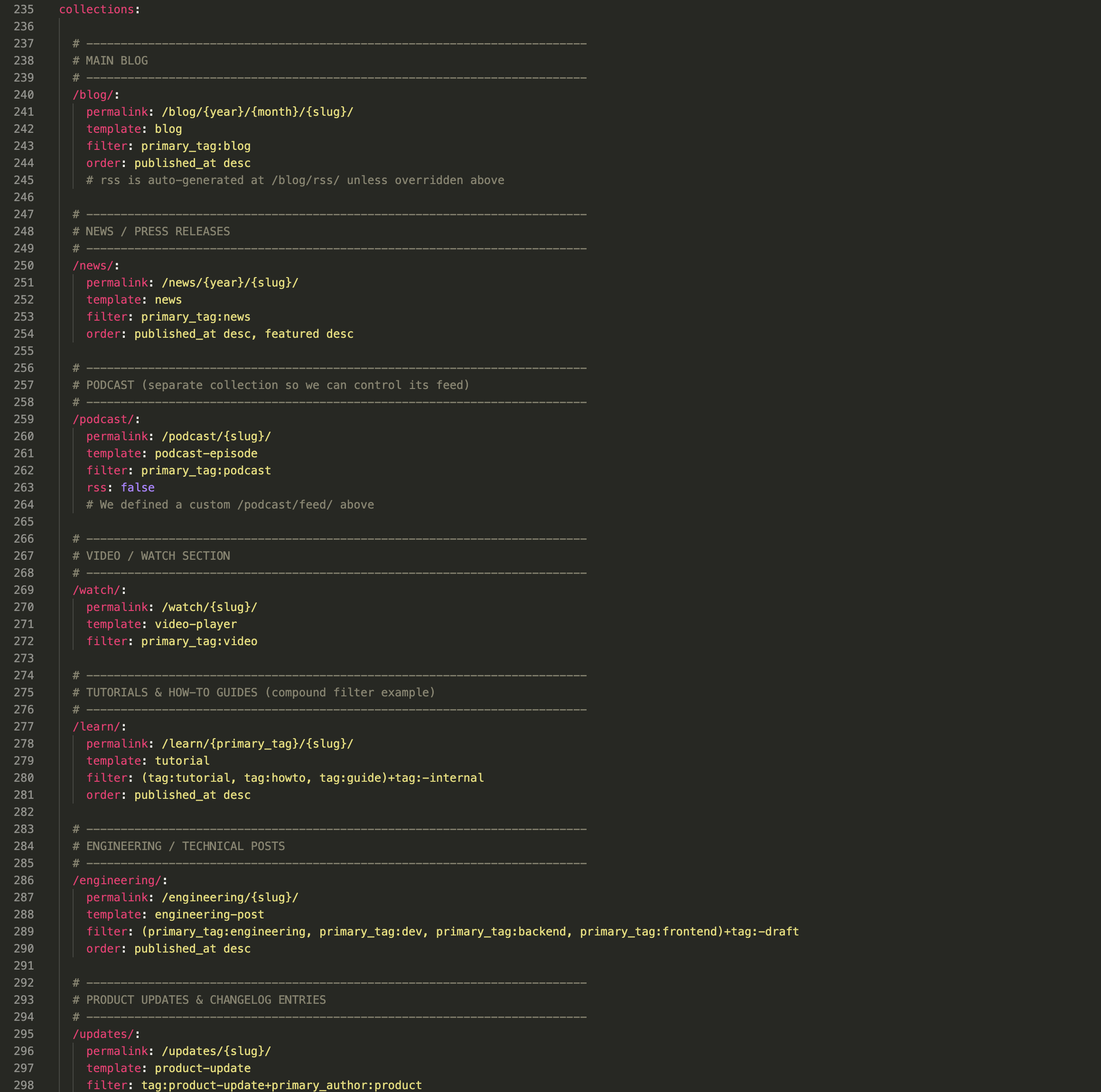
Custom collections, custom pages, tag/author archive patterns, permalink structures — all of it lives in one YAML file, and Ghost treats it like a black box:
- No dry run. The file goes straight to production. You find out if it worked by refreshing the live site.
- Failures are often silent, not loud. A
template:that doesn't exist doesn't error — it quietly falls back toindex. A custom URL that collides with a real page or post slug doesn't warn you — Ghost just serves one and hides the other. - You need to already know the SYNTAX. Permalink placeholders like
{primary_tag}, NQL filter syntax, thedata:shorthand — none of it is discoverable, all of it is YAML-indentation-sensitive.
For PixelGlass's users — people who want a great Ghost site without becoming a Ghost internals expert — that's a wall. Custom routing was effectively "ask an engineer" on the team - or not use this feature at all!
The fix: a Routes tab, right next to Preview and Code
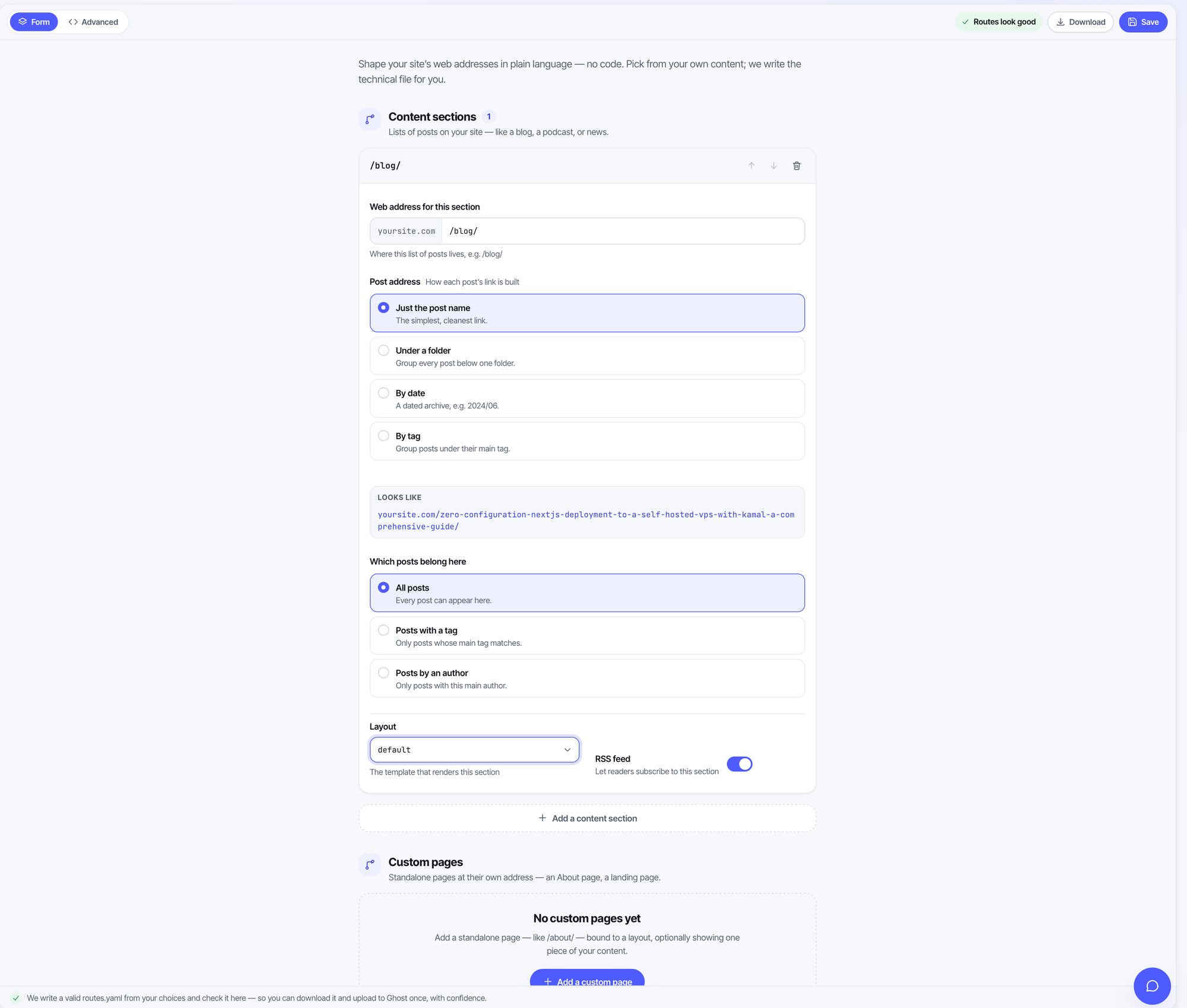
Custom routing is now a first-class part of the PixelGlass Builder. Open a theme and there's a new Routes tab alongside Preview and Code, with two ways to work:
Form view — plain language, zero YAML
By default you never see a line of YAML. You build "content sections" (custom collections like /blog/ or /podcast/) and custom pages from cards and dropdowns:
- Permalink presets in plain English — "post name," "under a folder," "by date," "by tag" — instead of memorizing placeholder tokens.
- "Which posts" filters built from your actual tags and authors — pick from a real dropdown of your content, not a blank text field.
- Tag and author archive patterns, customizable or reset to Ghost's defaults.
Anything more advanced that the form can't author yet — a custom controller channel, a longhand data query, an XML feed's content_type — is never dropped. It's preserved byte-for-byte and shown as a gentle "edit in Advanced" hint. Round-trip fidelity between Form and YAML is a tested invariant, not a best-effort.
Advanced view - for when you want the YAML
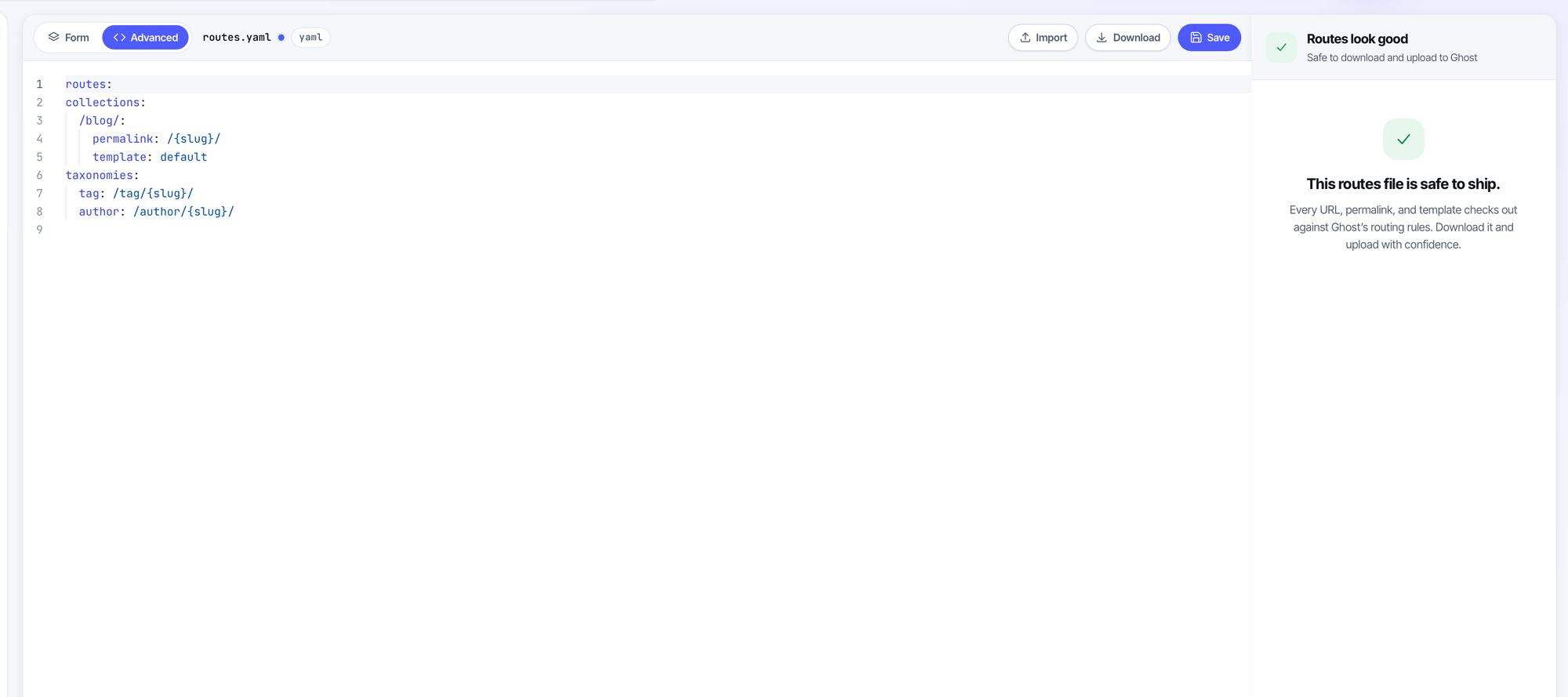
Prefer to write YAML directly? The Advanced view is a full Monaco editor with live, debounced validation as you type — findings grouped into errors and warnings, gutter markers, click-to-jump. Import an existing file, fix what's flagged, download the verified result.
What makes this different from "just linting YAML"
1. Validation is grounded in your real site, not just YAML syntax. The checks run against your theme's actual template files and your connected Ghost site's actual page, post, tag, and author slugs. So it catches things a syntax linter never could: a template: that doesn't exist and would silently fall back to index; a custom URL that collides with a real slug and would make Ghost hide one of them; overlapping collections that would break pagination. Every check is false-positive-safe when it can't ground itself — it degrades to a warning rather than crying wolf.
2. Routing changes actually render in the live preview — something Ghost itself cannot do. This is the part we think is genuinely unmatched. Before this, PixelGlass's preview engine routed pages through a hardcoded switch and ignored routes.yaml entirely — same as every other page builder. Now there's a real compiled routing table behind the preview: custom collections paginate, permalink patterns resolve, taxonomies render, exactly as they will in production. You see your custom /blog/ section, your renamed tag archive, your redirect — before you ship it. Ghost's own admin has no equivalent.
3. The AI won't quietly rewrite your URLs out from under you. You can also just ask PixelGlass's AI chat to restructure your routing conversationally — "split my posts into a blog and a newsletter section." Because a routing change can break live URLs (yours or ones already shared/indexed), the agent is hard-constrained to stop, explain the consequence in one plain sentence — "this moves your posts from /my-post/ to /blog/my-post/, so old links would break unless redirected — go ahead?" — and wait for a yes. It won't do it silently, even though "just build it" is the agent's normal default everywhere else.
One more thing we made sure you can’t miss
Ghost has a quirk almost nobody knows: routes.yaml is never applied by installing a theme — not via a ZIP upload, not via the Admin API. It only takes effect if you manually upload it into Settings → Labs → Routes yourself. So we added a callout in both the Export and Publish flows that surfaces the moment you have custom routing configured, telling you exactly where to paste it — instead of letting anyone lose their carefully built routing on export and never know why.
Try it
Open any theme in the Builder and click the new Routes tab. Build a custom collection in Form view, watch it route live in the preview, and download a file you can upload to your live site with actual confidence — the first time that's been true for Ghost routing, visually or otherwise.