
Changelog
Custom Fonts: pick your type, or bring your own
Your theme's fonts, your choice, in seconds. Custom Fonts is live in the Builder: set the heading and body type yourself, pick from a curated library or bring your own, and watch the preview change as you go — no AI turn, no waiting.
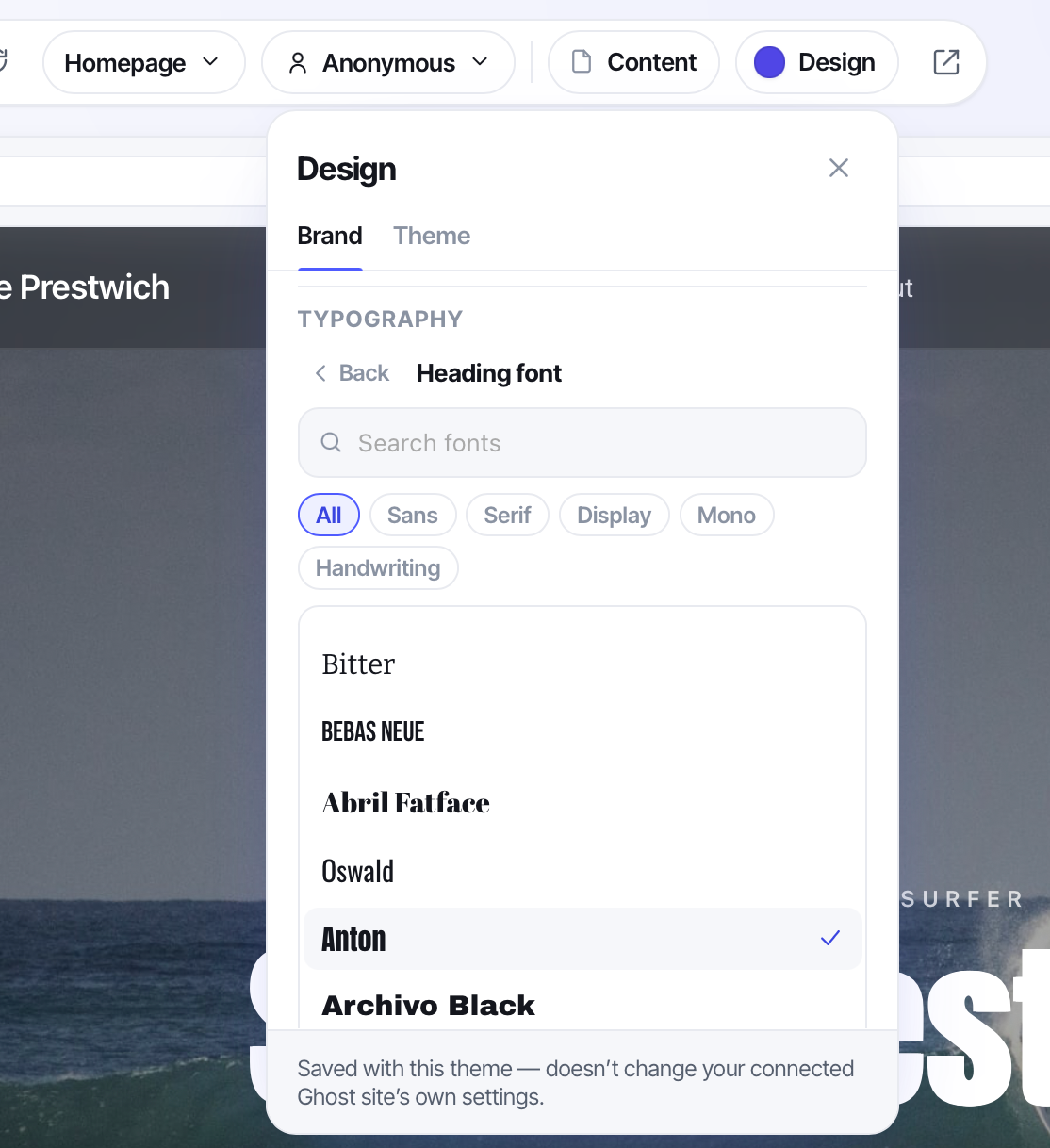
Type is the fastest way to make a theme feel like yours. Now it's a decision you make directly. Open the Design panel in the top bar, find Typography, and choose a Heading font and a Body font. The moment you pick, the live preview redraws in the new type.
Pick from the library — or bring your own
Start with the curated catalog: over 40 hand-picked Google fonts, browsable by category — Sans, Serif, Display, Mono, Handwriting — or searchable by name. Every option previews in its own typeface, so you're reading the font itself, not a label beside it. Inter, Playfair Display, Merriweather, Bebas Neue, JetBrains Mono, Pacifico — real families, ready to drop in. They're served through Bunny Fonts, a privacy-first, GDPR-safe mirror of Google Fonts — the same typefaces, without the privacy headache.
Already have a brand typeface? Bring it. Upload your own font files — .woff2, .woff, .ttf, or .otf. Tag each file's weight and style — Regular, Bold, Italic, Bold Italic — with up to four variants per role, and it's yours to use like any other font.
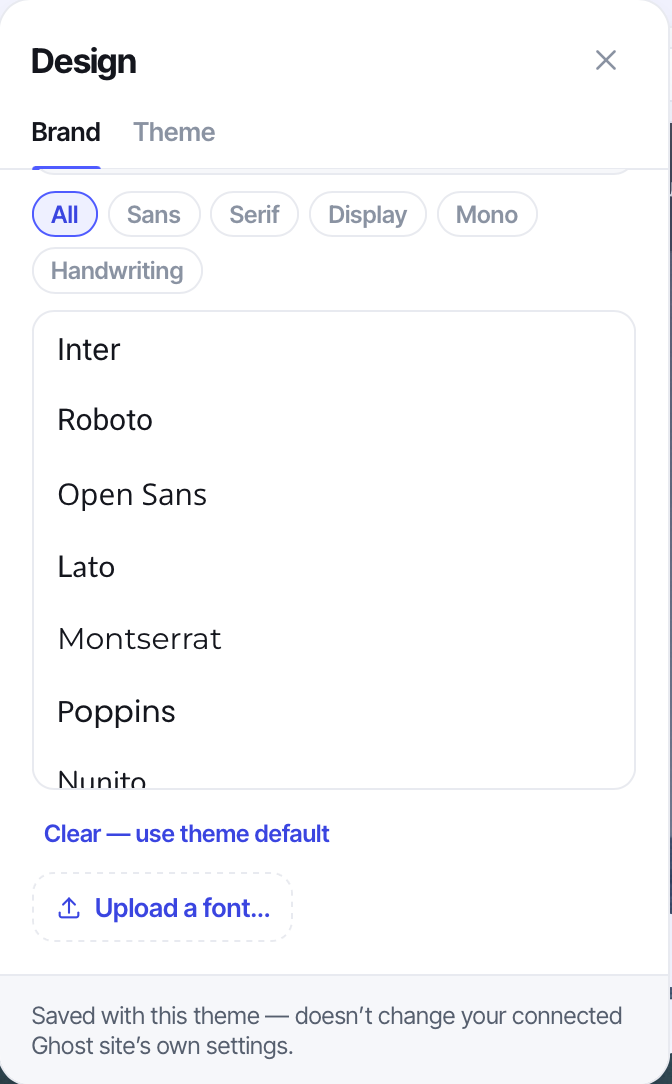
Changed your mind? “Clear — use theme default” puts a role back to the font the theme shipped with. No undo-hunting.
It travels with your theme
This isn't a preview-only trick. When you choose a font, the Builder writes a managed stylesheet into the theme and wires it to the custom-font variables built into Ghost® itself. So when you export your theme and install it on a real Ghost site, the fonts come with it and keep working exactly as you set them. What you design in the preview is what your readers see.
What it covers today
Custom Fonts is focused on purpose. You're setting the two fonts that carry a theme — headings and body — not per-element type for nav or buttons, and library picks come in regular and bold weights. Those are the two choices that change how a whole theme feels, and now they take seconds instead of a settings maze.
Open your theme in the Builder, click Design, and find Typography. Give it new type and watch the whole preview shift under your cursor.